Testing Robot Software
Imagine deploying a new path planner to your delivery robot. It works great in the office. You ship it. Two hours later, the robot gets stuck in a doorway and blocks traffic.
What went wrong? You tested it manually once. But you didn't test:
- Narrow doorways
- Moving obstacles
- Low battery scenarios
- Sensor failures
Testing is how you catch bugs before they reach real robots. And for robotics, testing is particularly challenging.
Why Robotics Testing Is Hard
Unlike web apps or desktop software:
- Physical hardware — can't run tests on a farm of real robots 24/7
- Sensors are noisy — LiDAR scans vary, cameras flicker, IMUs drift
- Time-dependent behavior — control loops run at 100Hz, paths evolve over time
- Rare edge cases — GPS dropout happens once a week, but it's critical
- Expensive failures — a bug can damage a $50k robot (or worse, harm people)
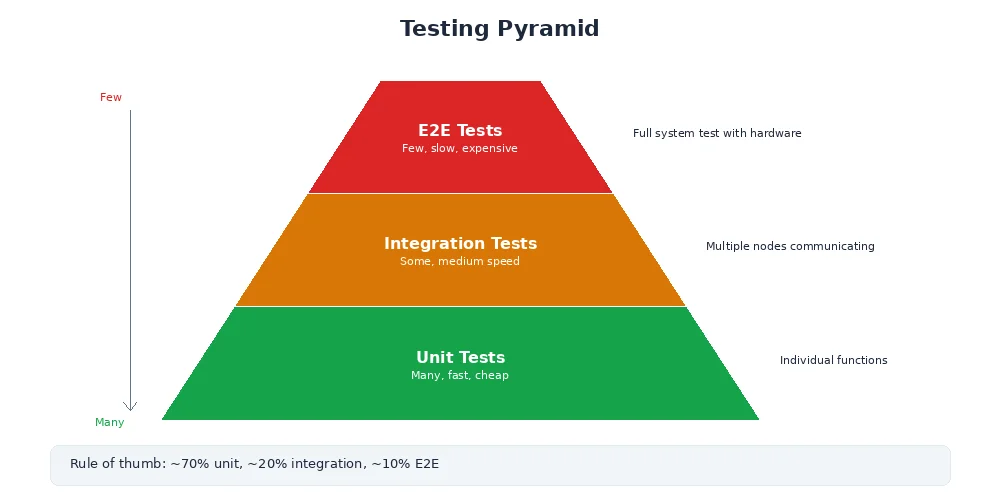
The solution: multi-level testing.
Unit Tests
Test individual functions in isolation. Fast, deterministic, no hardware required.
import pytest
from my_planner import calculate_distance

def test_distance_positive():
    """Distance between two points should be positive"""
    dist = calculate_distance((0, 0), (3, 4))
    assert dist == 5.0

def test_distance_zero():
    """Distance to self should be zero"""
    dist = calculate_distance((1, 1), (1, 1))
    assert dist == 0.0

def test_distance_symmetric():
    """Distance should be same in both directions"""
    d1 = calculate_distance((0, 0), (1, 1))
    d2 = calculate_distance((1, 1), (0, 0))
    assert d1 == d2

def test_distance_negative_coords():
    """Should handle negative coordinates"""
    dist = calculate_distance((-3, -4), (0, 0))
    assert dist == 5.0
Good unit tests are:
- Fast — thousands run in seconds
- Isolated — no file I/O, no network, no hardware
- Deterministic — same input, same output, always
- Focused — one function or behavior per test
Run them constantly:
pytest tests/              # Run all tests
pytest tests/test_planner.py  # Run one file
pytest -k "distance"       # Run tests matching "distance"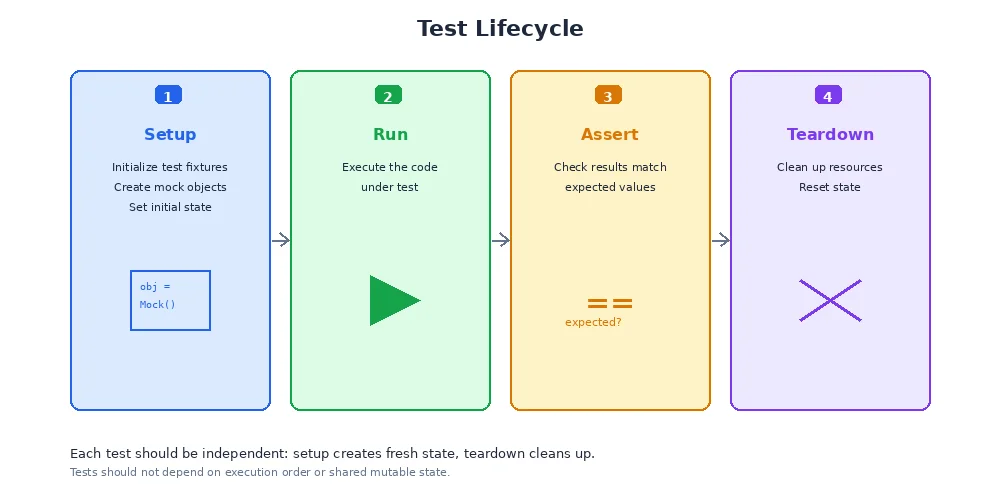
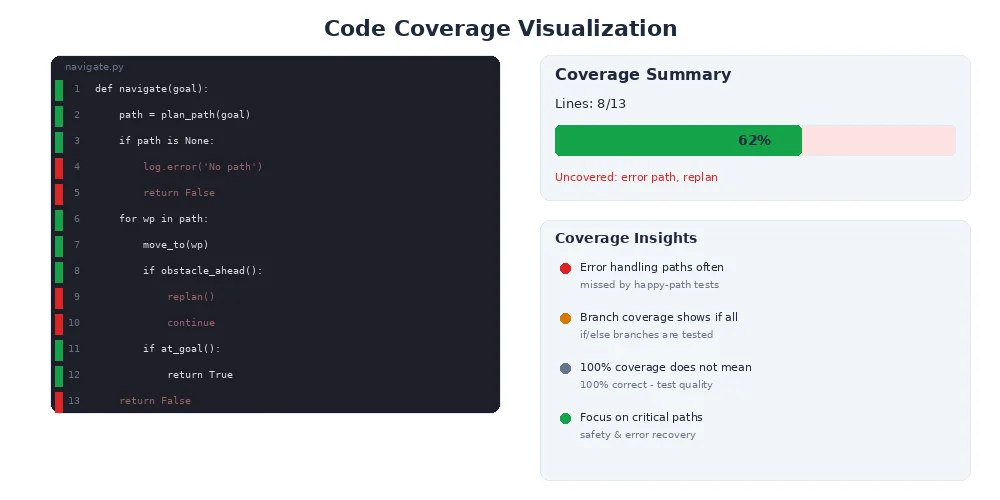
Aim for 80%+ code coverage on core algorithms. Tools like pytest-cov show which lines aren't tested. But don't chase 100% — some code (like hardware drivers) is better tested via integration tests.
Integration Tests
Test multiple components working together. Slower, but closer to real behavior.
import pytest
from test_utils import launch_nodes, wait_for_message

def test_camera_to_detector():
    """Camera node should publish images that detector processes"""

    # Start camera and detector nodes
    nodes = launch_nodes([
        ("camera_node", "my_camera_driver"),
        ("detector_node", "object_detector")
    ])

    # Wait for detector to publish (max 5 seconds)
    msg = wait_for_message("/detector/objects", timeout=5.0)

    # Verify message format
    assert msg is not None, "Detector didn't publish anything"
    assert len(msg.detections) >= 0, "Invalid detection format"
    assert msg.header.stamp is not None, "Missing timestamp"

    nodes.shutdown()
Integration tests verify:
- Nodes can communicate
- Topics are correctly remapped
- Message types match
- Timing constraints are met (e.g., "detector must respond within 100ms")
Integration tests can be flaky. Network delays, race conditions, and timing issues cause random failures. Use retries, generous timeouts, and idempotent assertions. If a test fails 1 in 20 times, it's worse than useless — it trains developers to ignore failures.
Simulation Tests
Test the full robot in a simulated environment. Slow, but catches system-level bugs.
import pytest
from sim_utils import SimWorld, Robot

def test_navigate_to_goal():
    """Robot should reach goal without colliding"""

    # Create simulated world with obstacles
    world = SimWorld()
    world.add_obstacle(position=(5, 5), radius=1.0)
    robot = Robot(start=(0, 0), goal=(10, 10))

    # Run simulation
    world.add_robot(robot)
    success = world.run(max_time=30.0)  # 30 seconds

    # Verify robot reached goal
    assert success, "Robot didn't reach goal in time"
    assert robot.distance_to_goal() < 0.5, "Robot stopped short of goal"
    assert not robot.had_collision(), "Robot collided with obstacle"

    # Check efficiency
    assert robot.path_length() < 15.0, "Path was inefficient (should be ~14.1)"
Simulation tests are perfect for:
- Testing navigation algorithms (paths, obstacle avoidance)
- Verifying control loops (PID tuning, stability)
- Stress-testing sensor fusion (what if GPS drops out?)
- Reproducing rare bugs (recorded sensor logs as input)
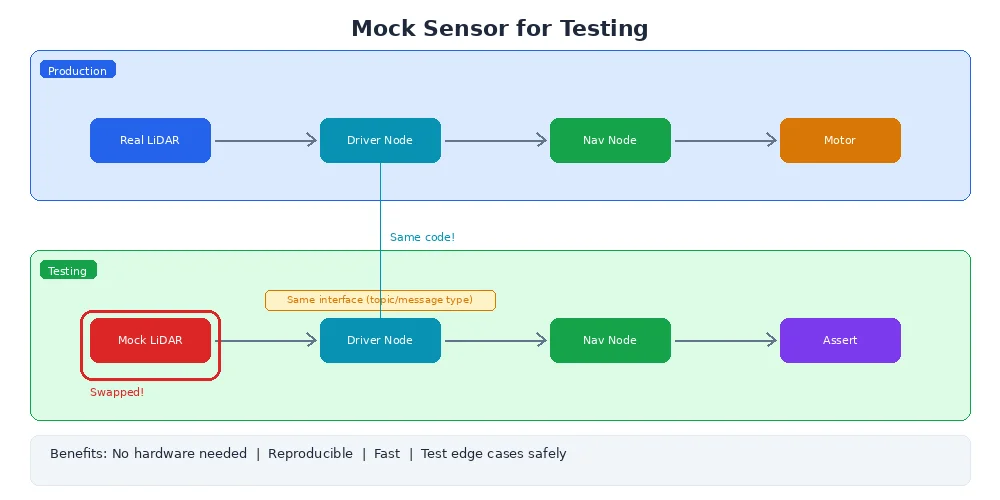
Mocking Sensors
You can't always run tests with real sensors. Mocks provide fake but realistic data.
from unittest.mock import Mock

def test_localization_with_mock_gps():
    """Localization should fuse GPS and IMU data"""

    # Create mock GPS that returns fixed position
    mock_gps = Mock()
    mock_gps.get_position.return_value = (10.0, 20.0)

    # Create mock IMU that returns velocity
    mock_imu = Mock()
    mock_imu.get_velocity.return_value = (1.0, 0.0)  # moving east at 1 m/s

    # Test localization algorithm
    localizer = Localization(gps=mock_gps, imu=mock_imu)
    position = localizer.estimate_position()

    # Should be close to GPS position
    assert abs(position[0] - 10.0) < 0.1
    assert abs(position[1] - 20.0) < 0.1
Advanced mocking can simulate sensor failures:
# GPS drops out after 5 seconds
mock_gps.get_position.side_effect = [
    (10.0, 20.0),
    (10.1, 20.1),
    (10.2, 20.2),
    None,  # GPS lost signal
    None,
    (10.5, 20.5)  # GPS recovered
]
What's Next?
Your code is tested and working. Now you need to get it onto a real robot. In the next lesson, we'll explore deployment — Docker containers, over-the-air updates, and cross-compilation for embedded systems.