Quaternions Without the Fear
Let's get this out of the way: quaternions are weird. They're 4D numbers that somehow represent 3D rotations. They obey strange multiplication rules. And they're everywhere in robotics.
But here's the good news: you don't need to understand the deep math to use them effectively. You just need to know what they solve, how to use them, and when they matter.
The Problem: Gimbal Lock
We've been representing rotations with three angles: roll, pitch, yaw (also called Euler angles). This seems intuitive — "rotate 30° left, tilt 20° down."
But there's a fatal flaw. Consider a camera:
- Start pointing forward
- Tilt 90° up (now pointing at the sky)
- Try to "turn left"
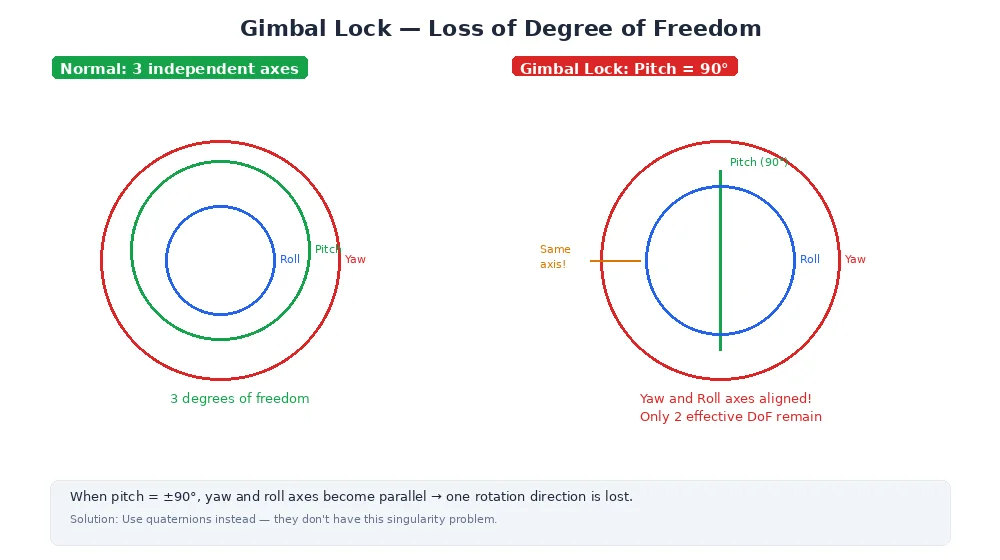
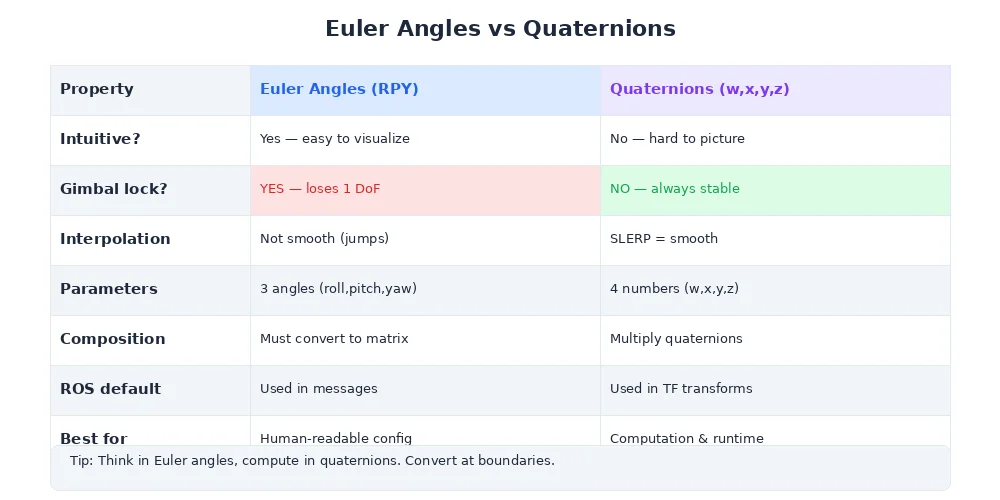
What happens? Nothing. You've lost a degree of freedom. Roll and yaw become the same rotation. This is called gimbal lock — two rotation axes collapse into one.
Gimbal lock isn't just a theoretical problem. It causes real bugs: spacecraft lose attitude control, robot arms hit singularities, and 3D animations glitch when characters look straight up or down.
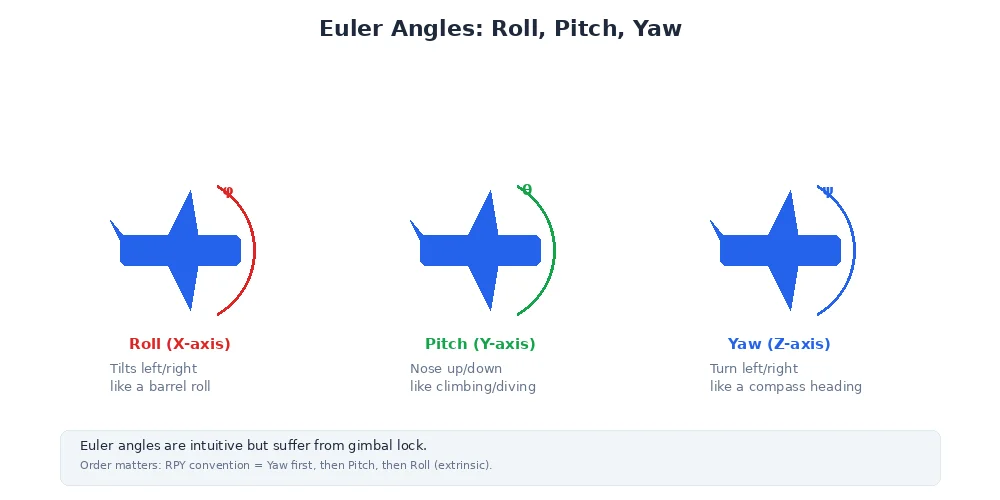
Here's the intuition: Euler angles apply rotations in a specific order (e.g., yaw → pitch → roll). Each rotation changes the meaning of the next axis. At certain angles (like 90° pitch), two axes align and you lose control.
The Solution: Quaternions
Quaternions represent rotations in a way that:
- Never has gimbal lock — all orientations are equally valid
- Interpolates smoothly — blending between rotations is natural
- Composes efficiently — multiplying quaternions is faster than matrix multiplication
- Uses less memory — 4 numbers instead of 9 (for a 3×3 rotation matrix)
The trade-off: they're less intuitive. You can't look at a quaternion and instantly visualize the rotation.
What Is a Quaternion?
A quaternion has four components: (w, x, y, z)
wis the "scalar part" (cosine of half the rotation angle)x, y, zform the "vector part" (axis of rotation, scaled by sine of half the angle)
The formula:
q = (cos(θ/2), sin(θ/2) * axis)Where θ is the rotation angle and axis is a unit vector (e.g., [0, 0, 1] for Z-axis).
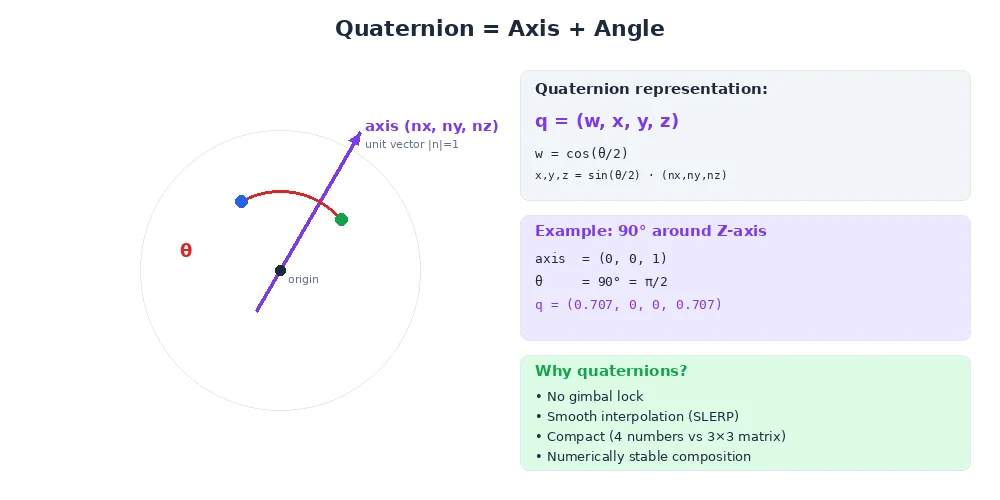
Example: 90° rotation around Z-axis
θ = 90° = π/2 radians
axis = [0, 0, 1]

w = cos(π/4) = 0.707
x = sin(π/4) * 0 = 0
y = sin(π/4) * 0 = 0
z = sin(π/4) * 1 = 0.707

q = (0.707, 0, 0, 0.707)import numpy as np
from scipy.spatial.transform import Rotation as R
# From axis-angle
axis = np.array([0, 0, 1]) # Z-axis
angle = np.pi / 2 # 90 degrees
quat = R.from_rotvec(angle * axis).as_quat()
print(quat) # [0, 0, 0.707, 0.707] (x, y, z, w) — note order!
# From Euler angles
euler = [0, 0, np.pi/2] # Roll, pitch, yaw
quat = R.from_euler('xyz', euler).as_quat()
print(quat)
# From rotation matrix
matrix = np.array([
[0, -1, 0],
[1, 0, 0],
[0, 0, 1]
])
quat = R.from_matrix(matrix).as_quat()
print(quat)Convention warning: Some libraries use (w, x, y, z) order, others use (x, y, z, w). For example, scipy uses (x, y, z, w), while Eigen uses (w, x, y, z). Always check the documentation!
Using Quaternions Practically
You almost never construct quaternions by hand. Instead:
1. Convert from Euler angles or axis-angle
from scipy.spatial.transform import Rotation as R

# Input: roll=10°, pitch=20°, yaw=30°
euler = [np.radians(10), np.radians(20), np.radians(30)]
quat = R.from_euler('xyz', euler).as_quat()

# Use the quaternion
rotation = R.from_quat(quat)
point_rotated = rotation.apply([1, 0, 0])
2. Multiply to compose rotations
# Rotate 30° around Z, then 20° around X
q1 = R.from_euler('z', np.radians(30)).as_quat()
q2 = R.from_euler('x', np.radians(20)).as_quat()

# Combine (order matters!)
r1 = R.from_quat(q1)
r2 = R.from_quat(q2)
r_combined = r2 * r1  # Read right-to-left: first q1, then q2

# Apply to a point
point_rotated = r_combined.apply([1, 0, 0])
3. Interpolate smoothly (SLERP)
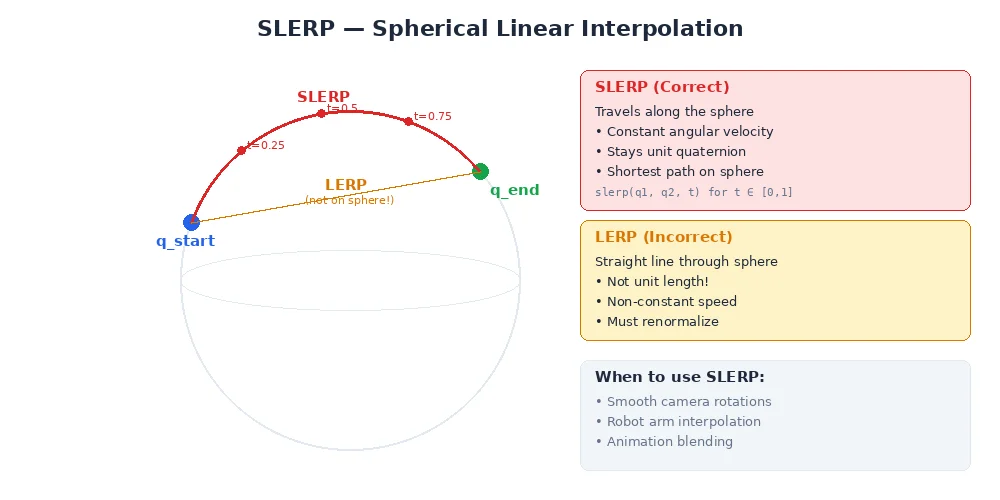
This is where quaternions shine. To smoothly rotate from orientation A to orientation B, you use SLERP (Spherical Linear Interpolation).
from scipy.spatial.transform import Rotation as R
from scipy.spatial.transform import Slerp

# Two orientations
q_start = R.from_euler('z', 0).as_quat()
q_end = R.from_euler('z', np.radians(90)).as_quat()

# Create interpolator
slerp = Slerp([0, 1], R.from_quat([q_start, q_end]))

# Interpolate at 50% of the way
q_halfway = slerp(0.5).as_quat()
# This is exactly 45° — the quaternion that's "halfway" between 0° and 90°

# Interpolate at multiple points for a smooth animation
for t in np.linspace(0, 1, 20):
    q_t = slerp(t)
    # Use q_t to rotate the robot smoothly
Why is SLERP better than linearly interpolating Euler angles? Because it takes the shortest path on the rotation sphere and maintains constant angular velocity. Interpolating Euler angles can cause weird intermediate rotations.
Quaternion Properties
A few things to know:
1. Unit quaternions represent rotations
Only quaternions where w² + x² + y² + z² = 1 represent valid rotations. Always normalize after math operations.
2. Opposite quaternions are the same rotation
(w, x, y, z) and (-w, -x, -y, -z) represent the same rotation. This is normal — just pick one.
3. Identity rotation
The "no rotation" quaternion is (1, 0, 0, 0) or (0, 0, 0, 1) depending on convention.
4. Inverse rotation
To reverse a rotation, conjugate the quaternion: q_inverse = (w, -x, -y, -z)
When Quaternions Matter
You'll encounter quaternions in:
| Situation | Why |
|---|---|
| Robot pose messages | Standard pose messages use quaternions for orientation |
| Transform trees | Most transform systems store rotations as quaternions |
| IMU data | Sensor fusion algorithms output orientation as a quaternion |
| Animation & smoothing | SLERP for smooth camera/arm motion |
| Kalman filters | State estimation often uses quaternions to avoid gimbal lock |
For debugging, convert quaternions back to Euler angles or axis-angle. Many visualization tools show quaternions as arrows, making them easier to visualize than four mysterious numbers.
What's Next?
You've learned how to represent and transform between coordinate frames. But robots don't stand still — transforms change as the robot moves. In the next lesson, we'll cover time-varying transforms and how to handle measurements from different moments in time.