Coordinate Frames
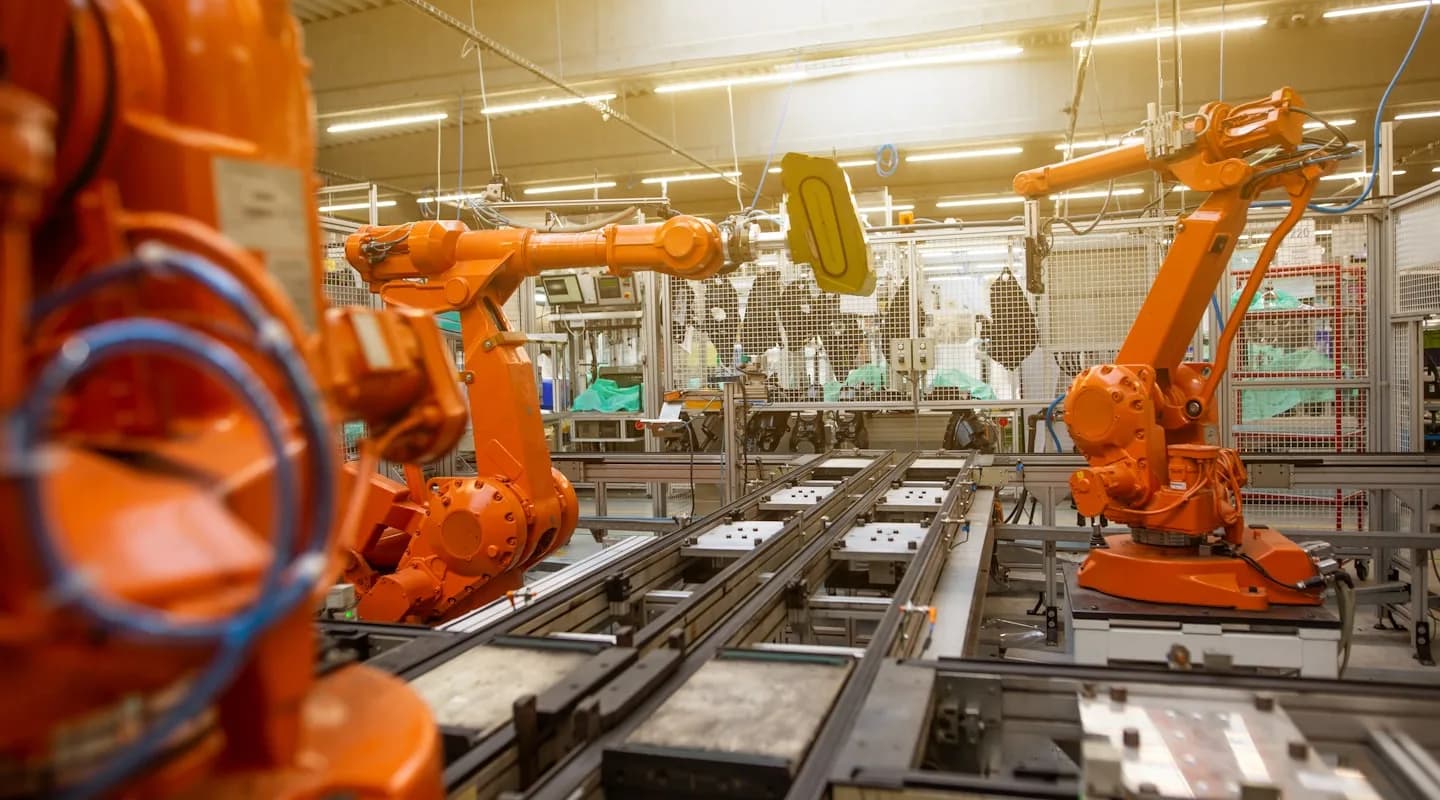
A robot arm picks up a coffee mug. Simple, right? But here's the question: where is the mug?
The answer depends on who's asking. To the camera, the mug is "30cm forward, 5cm left." To the gripper, it's "10cm away, straight ahead." To the robot's base, it's "somewhere over there." Same mug, three different answers.
This is the problem of coordinate frames — and it's the foundation of all robot perception, manipulation, and navigation.
What Is a Coordinate Frame?
A coordinate frame (also called a reference frame) is a way to describe positions and orientations in 3D space. Think of it as an invisible ruler attached to something.
Every frame has:
- An origin point — the (0, 0, 0) location
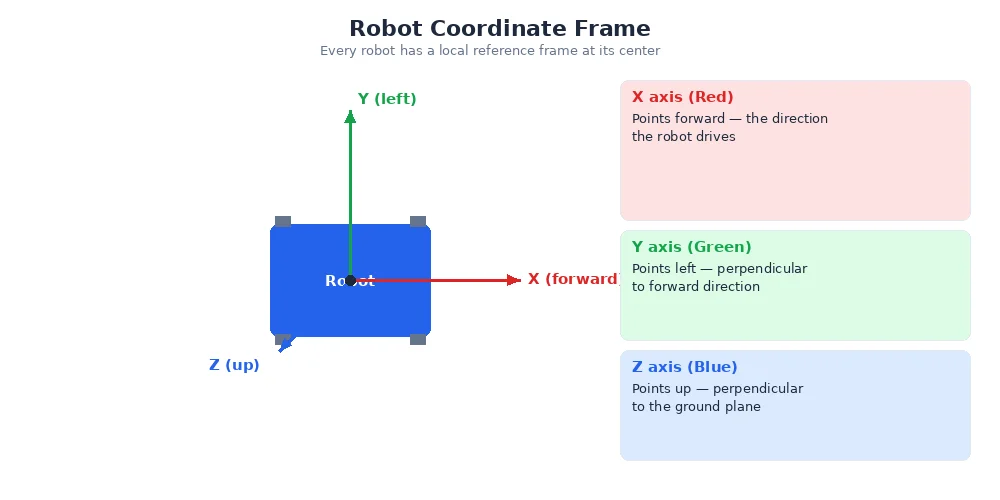
- Three axes — X (red), Y (green), Z (blue) pointing in specific directions
- A name — like "world", "base_link", "camera", "left_gripper"
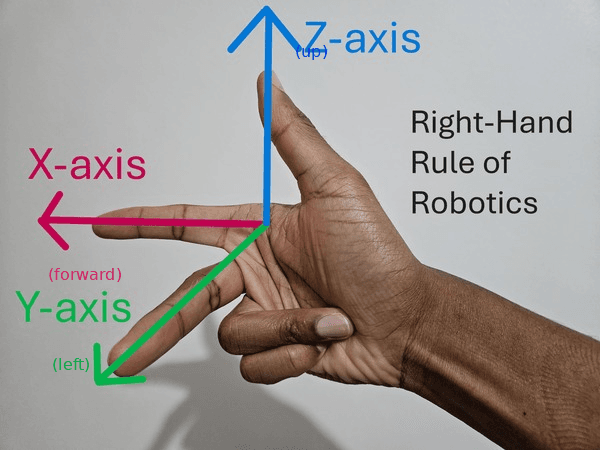
The standard robotics convention is X = forward, Y = left, Z = up. This is called the "right-hand rule" — point your right hand's fingers in the X direction (forward), curl them toward Y (left), and your thumb points up (Z).
Why Frames Matter
Imagine a robot with:
- A camera on its head
- A gripper on its arm
- Wheels on its base
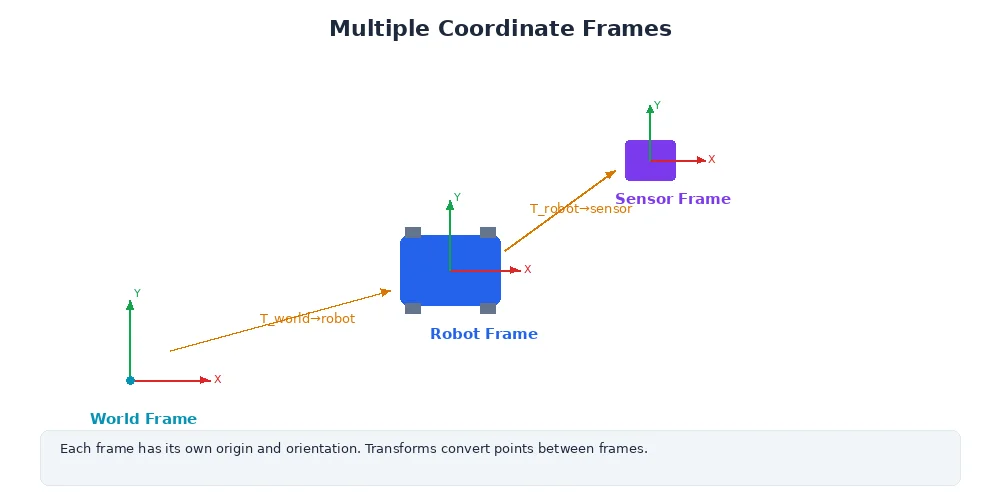
Each of these has a natural frame:
| Component | Frame | Origin | Purpose |
|---|---|---|---|
| World | world | A fixed point on the floor | The "map" — everything is ultimately measured relative to this |
| Robot base | base_link | Center of the robot's body | Robot-centric measurements |
| Camera | camera_optical | Camera lens center | Where pixels "see" things |
| Gripper | left_gripper | Gripper fingers | Where the gripper "thinks" objects are |
When the camera detects an object at position (0.5, 0.2, 0.1) in its frame, that's different from the same coordinates in the gripper's frame or the world frame. We need to transform between frames.
World vs Body Frames
There are two major categories:
1. World Frame (Global/Fixed)
- Fixed in space, never moves
- Usually anchored to the floor or a starting point
- Used for navigation, mapping, multi-robot coordination
- Example: "The charging station is at (5, 3, 0) in the world frame"
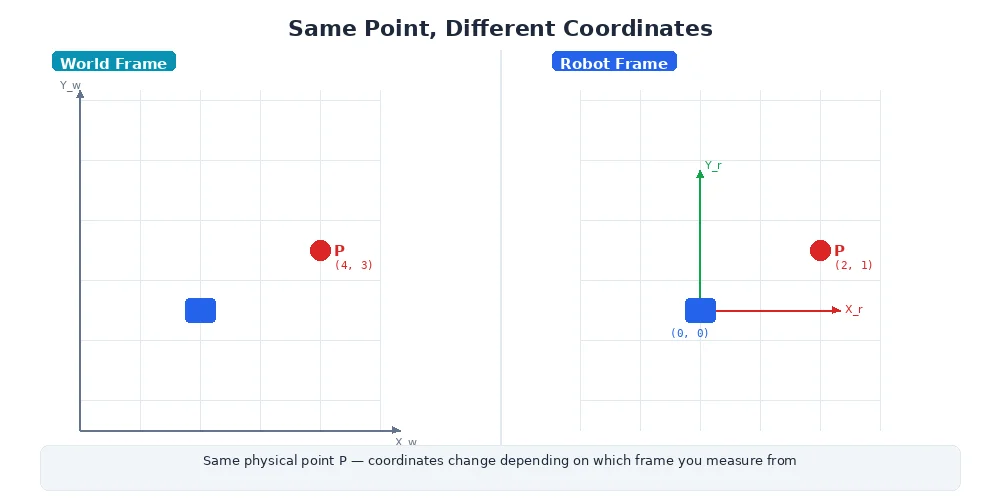
2. Body Frames (Local/Moving)
- Attached to parts of the robot
- Move as the robot moves
- Used for sensor measurements, arm control, collision detection
- Example: "The camera sees the mug at (0.3, 0.1, 0.2) in the camera frame"
A common beginner mistake: assuming all measurements are in the world frame. In reality, sensors always measure in their own frame. Your job as a robotics engineer is to transform these measurements into the frame where they're useful.
An Example: Coffee Mug Pickup
Let's say:
- Camera (on the robot's head) sees a mug at (0.5, 0.1, 0.3) in camera frame
- The robot's head is rotated 30° left from the base
- The robot wants to move its gripper to pick up the mug
Here's what needs to happen:
- Transform mug position from camera frame → head frame
- Transform from head frame → base frame (accounting for the 30° rotation)
- Transform from base frame → gripper frame
- Command the gripper: "move to this position"
Without frames and transforms, this would be impossible. You'd have to manually compute angles and offsets every time the robot moves. Frames make it automatic.
Frames Are Everywhere
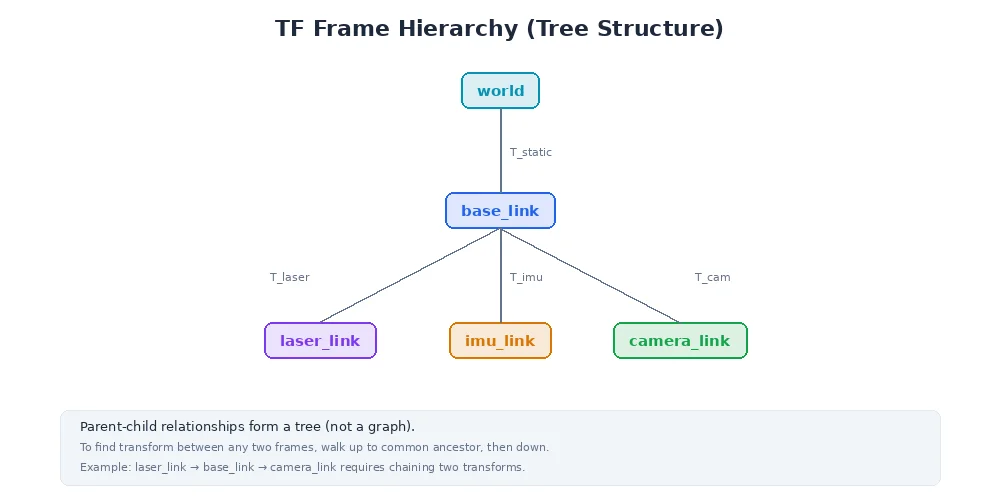
Every robot system has dozens (sometimes hundreds) of frames:
This is called a transform tree (we'll cover this in detail in Lesson 3). Each arrow represents a parent-child relationship.
What's Next?
Now that you know what frames are and why they exist, the next lesson will show you how to transform between them — the math of rotation and translation that makes multi-frame robotics work.