Software Architecture
You could write a robot's entire software as one giant program — read sensors, do math, command motors, repeat. Some early robots worked that way. But modern robots don't, and for good reason.
The Problem with Monoliths
Imagine a single program that handles everything:
while True:
    image = camera.read()
    scan = lidar.read()
    imu_data = imu.read()

    objects = detect_objects(image)
    map = update_map(scan)
    position = estimate_position(imu_data, map)

    path = plan_path(position, goal)
    velocity = follow_path(path)

    motors.set_velocity(velocity)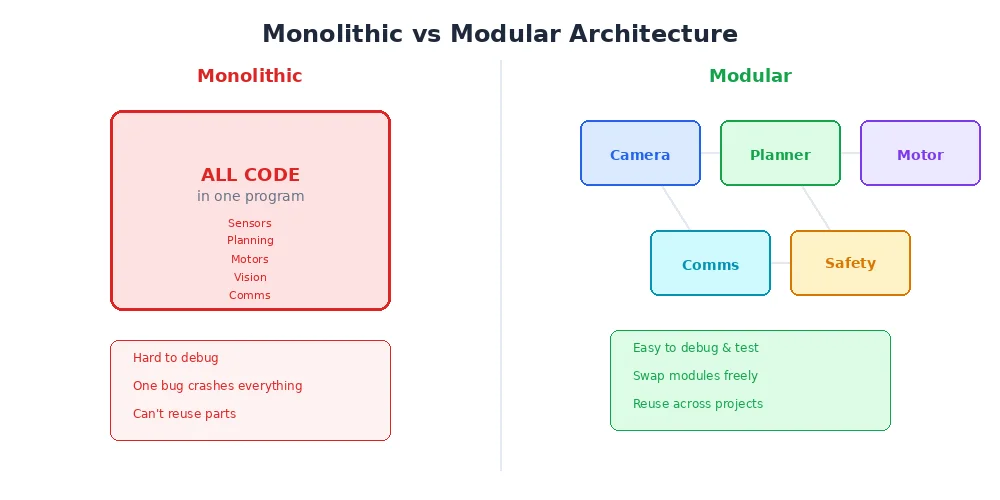
This looks clean, but it has serious problems:
- One crash kills everything. If the object detector has a bug, the entire robot stops — including basic obstacle avoidance.
- Can't run in parallel. Path planning might take 200ms, but you need motor commands at 100Hz (every 10ms). A single loop can't do both.
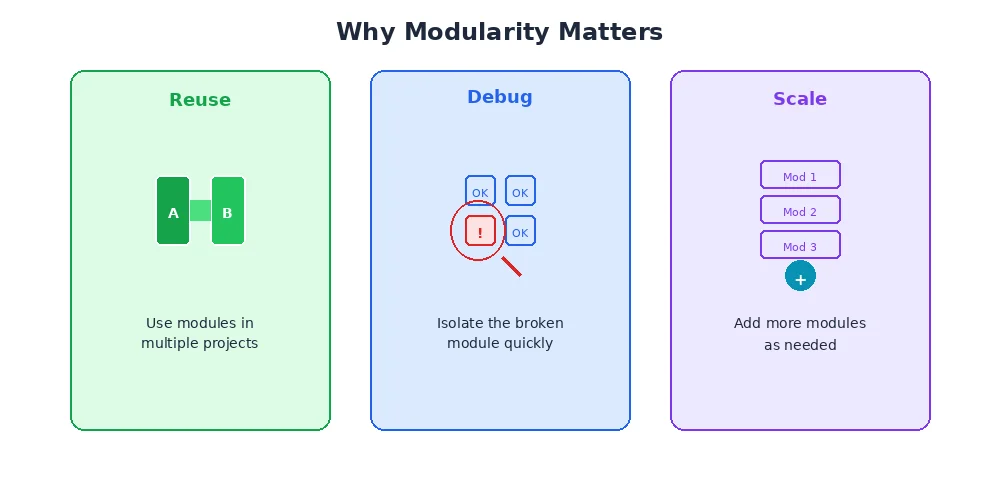
- Hard to develop. Three engineers can't easily work on perception, planning, and control simultaneously in one file.
- Hard to reuse. Want to use the same object detector on a different robot? You'd have to extract it from the monolith.
The Modular Approach
Modern robot software breaks the system into nodes — small, independent programs that each do one thing well:
- Camera Node — reads the camera, publishes images
- Detector Node — subscribes to images, publishes detected objects
- LiDAR Node — reads the LiDAR, publishes scans
- Mapper Node — subscribes to scans, builds and publishes a map
- Planner Node — subscribes to map + position, publishes a path
- Controller Node — subscribes to path, publishes motor commands
Each node runs independently, often in its own process or thread. If the detector crashes, the other nodes keep running. The controller can still avoid obstacles using raw LiDAR data.
Think of nodes like apps on your phone. Each does one thing, they can be updated independently, and if one crashes, the others keep working.
How Nodes Talk: Messages and Topics
Nodes communicate by sending messages through topics. A topic is a named channel — like a radio frequency. Any node can publish to a topic, and any number of nodes can subscribe.
Here's the flow for our camera pipeline:
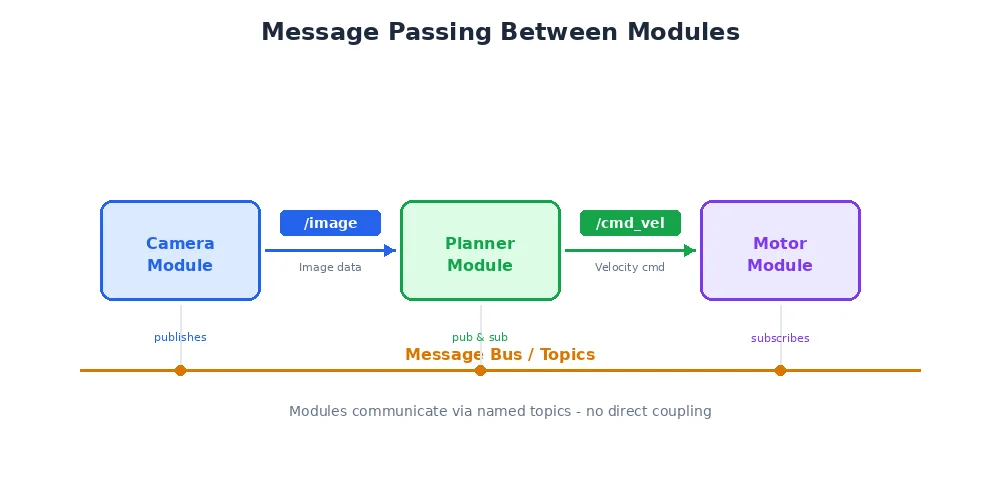
This pattern is called publish-subscribe (pub/sub). It has key advantages:
- Decoupled — the camera node doesn't know (or care) who's listening
- Flexible — you can add a new subscriber (say, a logging node) without changing any existing code
- Scalable — nodes can run on different CPU cores or even different computers
Messages Are Typed
Messages aren't just random data — they have a defined structure. An Image message might look like:
class Image:
    width: int          # 640
    height: int         # 480
    encoding: str       # "rgb8"
    data: bytes         # raw pixel data
A Twist message (used for velocity commands) looks like:
class Twist:
    linear:
        x: float        # forward/backward speed (m/s)
        y: float        # left/right speed (m/s)
        z: float        # up/down speed (m/s)
    angular:
        x: float        # roll rate (rad/s)
        y: float        # pitch rate (rad/s)
        z: float        # yaw rate (rad/s)
Typed messages mean you can't accidentally send LiDAR data to a node expecting images. The system catches the mismatch immediately.
The Node Graph
When you connect all the nodes and topics, you get a node graph — a visual representation of your entire robot's software architecture:
This graph is incredibly useful for debugging. You can inspect any topic to see what data is flowing through it, check if a node has crashed, or identify bottlenecks where data is arriving too slowly.
In practice, most robots have 10-50 nodes running simultaneously. Complex autonomous vehicles can have hundreds. The modular architecture makes this manageable.
What's Next?
Now you understand the architecture. In the next lesson, we'll build a complete robot system conceptually — wiring sensors to processing to actuators — and trace how data flows from a camera image all the way to a wheel motor command.