Message Types
When a camera node publishes an image, what exactly does it send? A blob of bytes? A JSON object? A Protocol Buffer? The answer matters more than you might think.
Why Typed Messages?
Imagine two teams building a robot. Team A writes the camera driver. Team B writes the object detector. Without an agreed-upon message format:
- Team A sends pixels as RGB, Team B expects BGR → colors are inverted
- Team A sends width then height, Team B reads height then width → image is distorted
- Team A adds a timestamp field, Team B doesn't expect it → parsing crashes
Typed messages solve this by creating an explicit contract between sender and receiver.
Common Robot Message Types
Here are the most frequently used message types across robot systems:
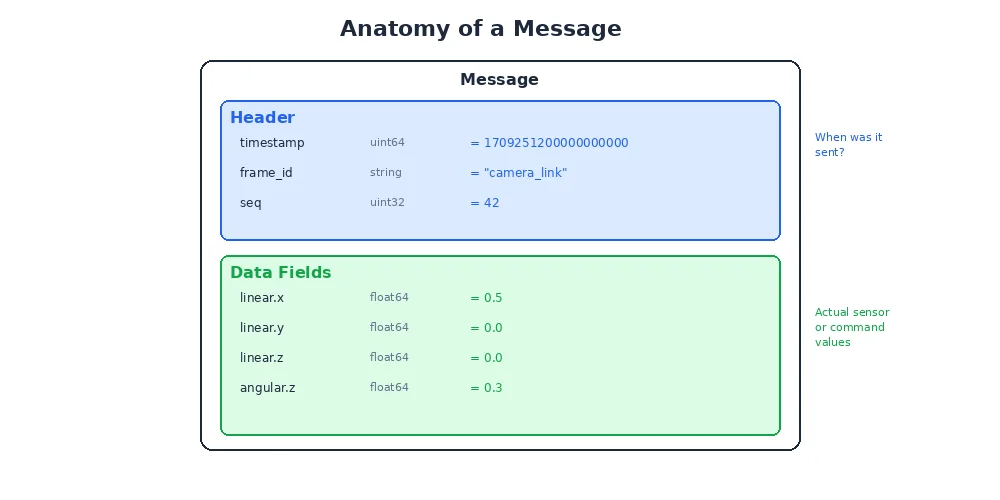
Geometry Messages
class Vector3:
    x: float    # meters
    y: float
    z: float

class Quaternion:
    x: float
    y: float
    z: float
    w: float

class Pose:
    position: Vector3       # where (x, y, z)
    orientation: Quaternion  # which way it's facing

class Twist:
    linear: Vector3     # linear velocity (m/s)
    angular: Vector3    # angular velocity (rad/s)

class Transform:
    translation: Vector3
    rotation: Quaternion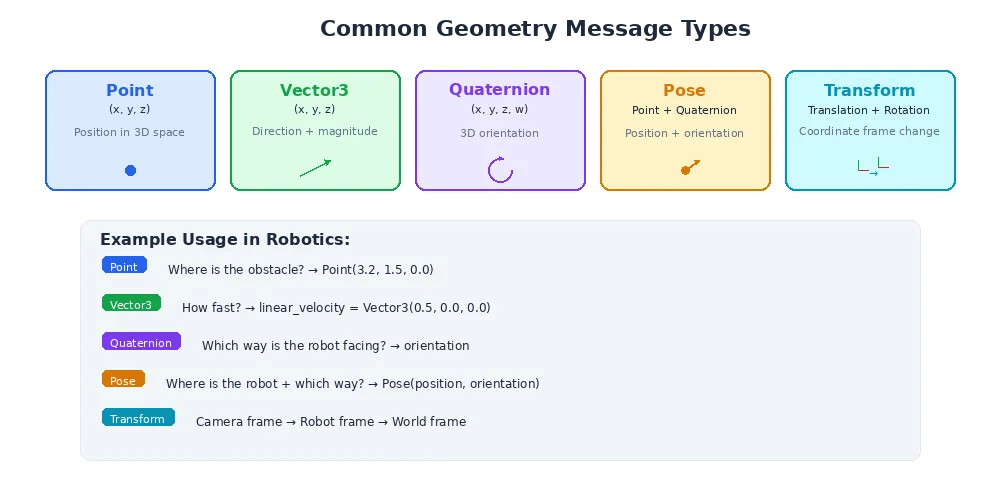
Sensor Messages
class Image:
    header: Header          # timestamp + frame_id
    width: int              # pixels
    height: int             # pixels
    encoding: str           # "rgb8", "bgr8", "mono8", etc.
    data: bytes             # raw pixel data

class LaserScan:
    header: Header
    angle_min: float        # start angle (radians)
    angle_max: float        # end angle
    angle_increment: float  # angular resolution
    ranges: list[float]     # distance measurements
    intensities: list[float]  # signal strength

class Imu:
    header: Header
    orientation: Quaternion
    angular_velocity: Vector3
    linear_acceleration: Vector3

class PointCloud2:
    header: Header
    width: int
    height: int
    fields: list[PointField]  # x, y, z, intensity, etc.
    data: bytes               # packed point data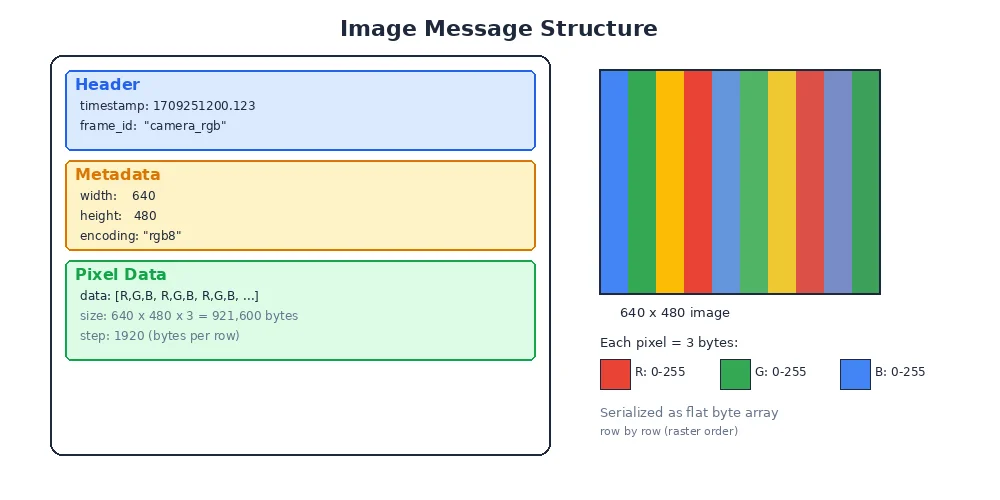
The Header
Almost every message includes a Header:
class Header:
    timestamp: Time     # when the data was captured
    frame_id: str       # coordinate frame ("base_link", "camera_optical")
The timestamp tells you when the data was captured (not when it was received — those can differ by milliseconds). The frame_id tells you what coordinate frame the data is in. We'll explore frames in detail in Module 3.
Always check the timestamp! If you're fusing data from multiple sensors, you need to synchronize them by timestamp. A LiDAR scan from 50ms ago and a camera image from now describe slightly different scenes if the robot is moving.
Serialization
Messages need to be converted to bytes for transmission and back again. This process is called serialization (to bytes) and deserialization (from bytes).
Common serialization formats:
| Format | Speed | Size | Human-Readable? | Used In |
|---|---|---|---|---|
| CDR | Very fast | Compact | No | DDS middleware |
| Protocol Buffers | Fast | Very compact | No | gRPC, Google |
| FlatBuffers | Zero-copy | Compact | No | Game engines |
| JSON | Slow | Large | Yes | Web APIs, debugging |
| MessagePack | Fast | Compact | No | Various |
For robotics, speed and size matter. A 640×480 RGB image is about 900KB. At 30fps, that's 27MB/s from just one camera. You don't want to add overhead with verbose formats like JSON.
Zero-copy serialization means the receiver reads data directly from the sender's memory without creating a copy. This is critical for large messages like images and point clouds. Some high-performance robotics frameworks support zero-copy via shared memory.
Defining Your Own Messages
Sometimes standard messages aren't enough. You need to define custom types for your specific application:
# A detected ball with position, color, and confidence
class DetectedBall:
    header: Header
    x: float            # pixel coordinate
    y: float            # pixel coordinate
    radius: float       # apparent size in pixels
    color: str          # "red", "blue", "green"
    confidence: float   # 0.0 to 1.0
    found: bool         # whether a ball was detected at all
Good practices for custom messages:
- Include a Header — timestamps and frames are always useful
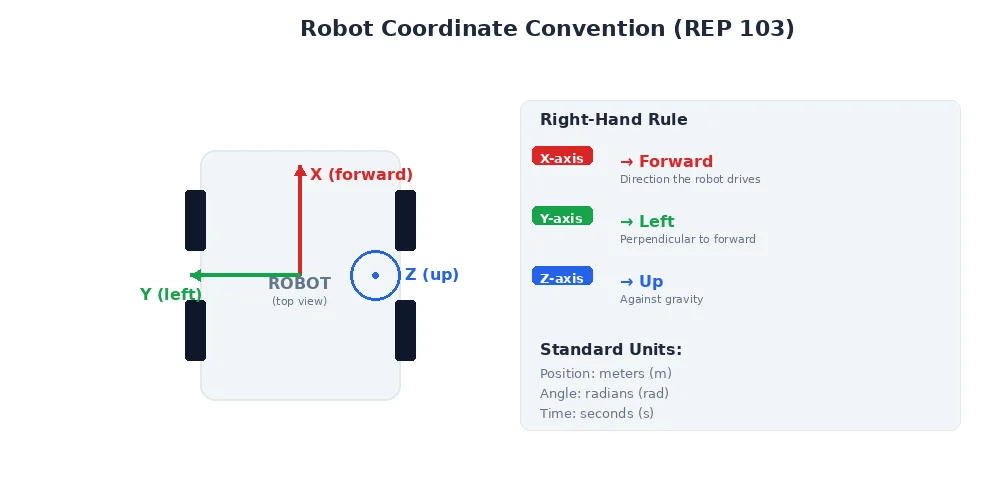
- Use standard units — meters, radians, seconds (not inches, degrees, milliseconds)
- Keep it minimal — include only data that subscribers actually need
- Document fields — add comments explaining units and valid ranges
What's Next?
We've covered what messages are and how they're structured. But there's one more critical aspect of communication: speed. In the next lesson, we'll explore latency and real-time constraints — why some robot systems need to respond in microseconds, and what "real-time" actually means.