Why Your Robot Needs a Map
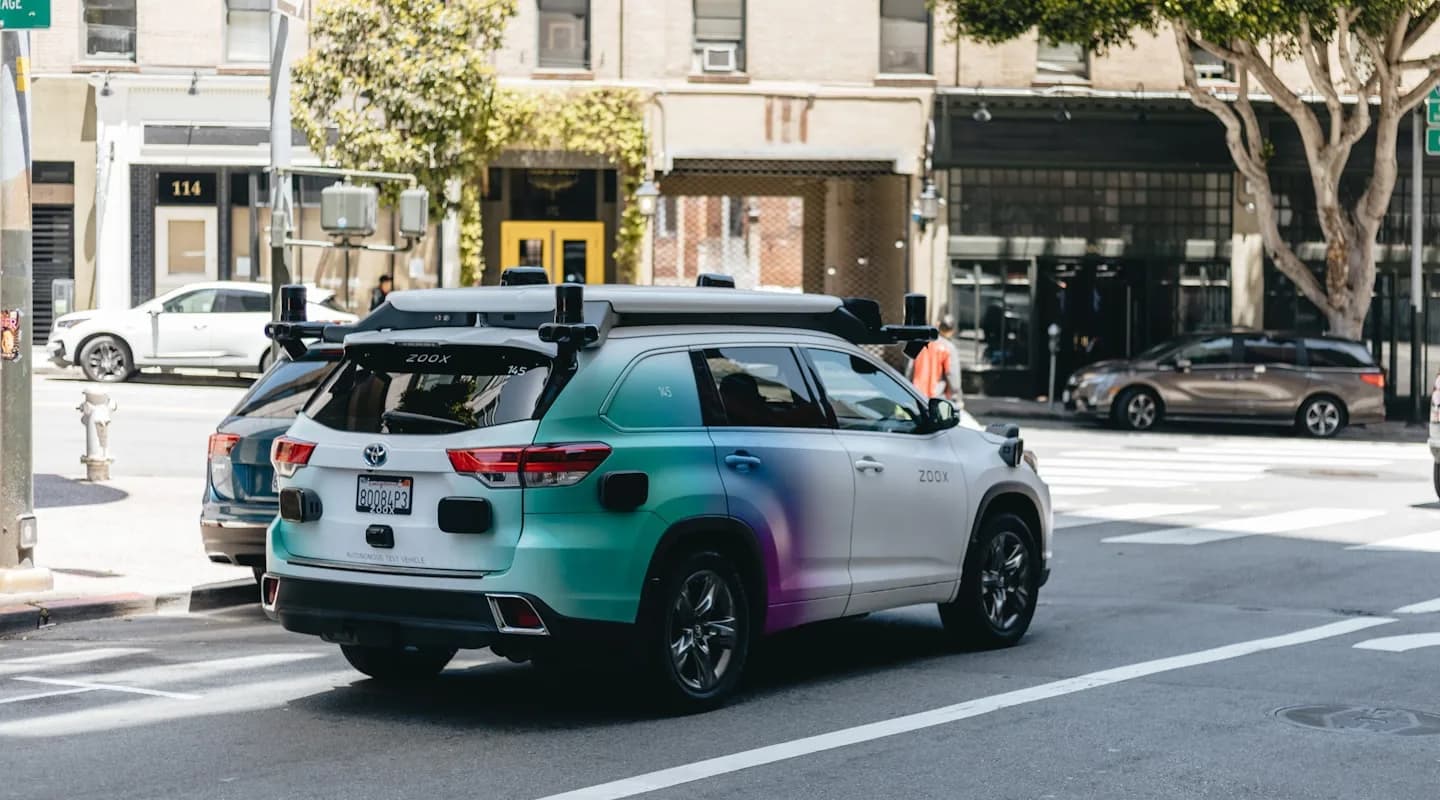
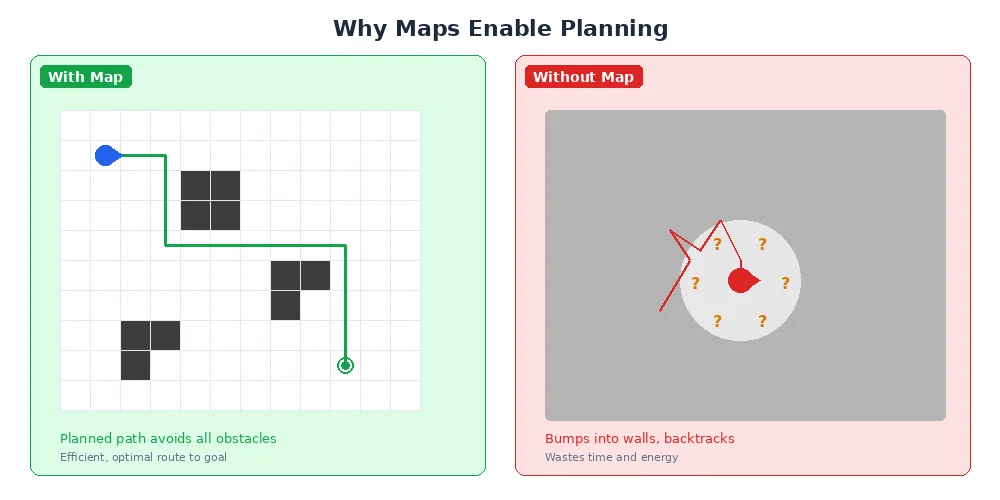
Imagine trying to navigate a building blindfolded while someone gives you directions: "Walk forward 10 steps, turn left, walk 5 more steps." If you miscount even slightly, you'll end up in the wrong place. Now imagine you had a map and could see landmarks — suddenly navigation becomes much easier and more reliable.
Robots face the same challenge. They can count wheel rotations and measure turns, but small errors accumulate quickly. A map transforms this problem from "how many steps did I take?" to "where am I relative to these landmarks?"
The Three Mapping Scenarios
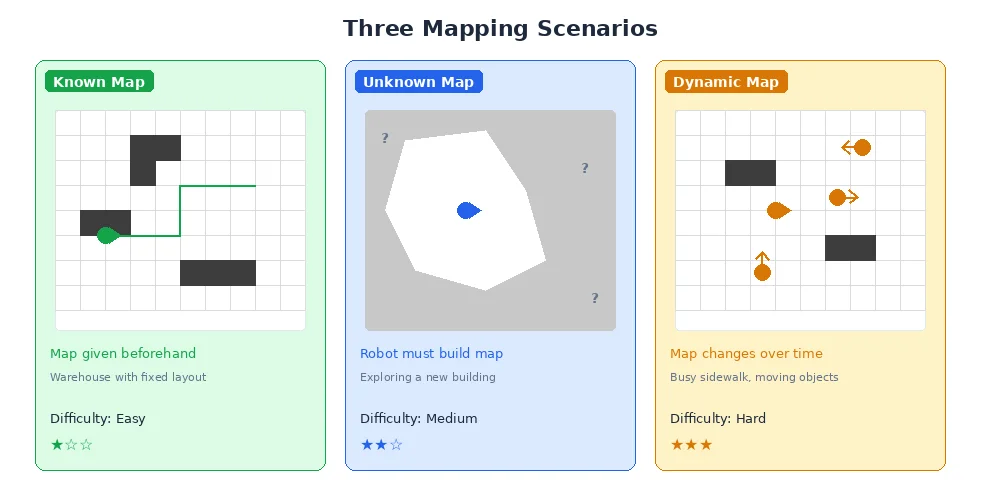
Robots encounter three distinct mapping situations:
1. Pre-Made Maps (Given Map)
Someone creates the map ahead of time — maybe a human draws it, or the robot builds it during a setup phase. The robot's job is just to figure out where it is on this known map. Think of a warehouse robot that gets the floor plan before its first shift.
2. Real-Time Mapping (SLAM)
The robot builds the map as it explores, while simultaneously using that incomplete map to navigate. This is called SLAM (Simultaneous Localization And Mapping), and it's one of the hardest problems in robotics. We'll dive deep into SLAM in lesson 4.
3. Map Updates (Dynamic Environments)
Even if you have a map, the world changes. Doors open and close, people move furniture, construction adds new walls. Smart robots update their maps as they discover changes.
Most real-world robots use a hybrid approach: they start with a rough map (building blueprints) but refine and update it through experience.
Types of Robot Maps
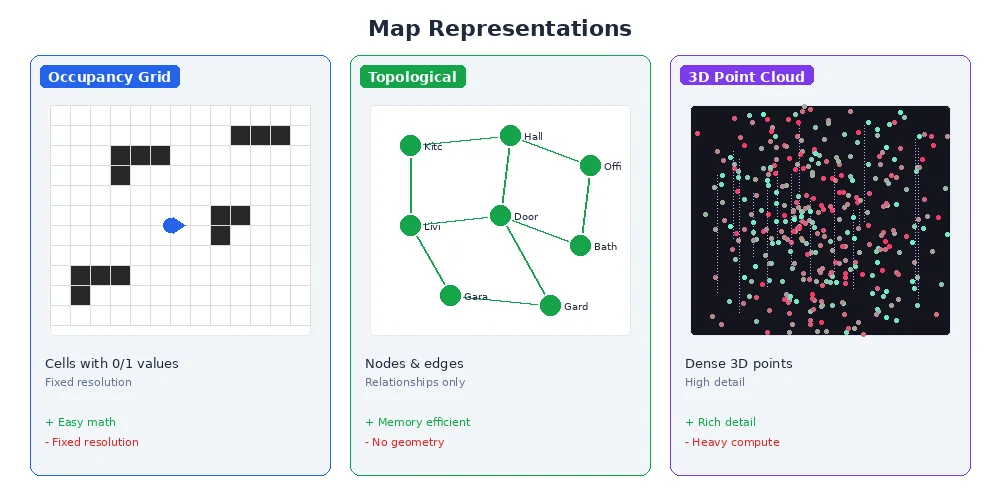
Not all maps look like the paper ones you'd find in a glove compartment. Robots use different map representations depending on their needs:
Occupancy Grids
The most common type. The world is divided into a grid of cells, and each cell is marked as free space, occupied (obstacle), or unknown. Think of it like a pixelated black-and-white image where black = obstacle, white = free, and gray = uncertain.
Feature Maps
Instead of storing every detail, these maps only remember distinctive landmarks — corners, doorways, specific objects. Much more compact, but requires good feature detection.
Topological Maps
These store connectivity rather than geometry — like a subway map that shows which stations connect but not the exact distances. Useful for high-level planning in large spaces.
Metric Maps
These store precise measurements — distances in meters, angles in radians. Occupancy grids are usually metric maps because each cell represents a real-world distance.
Why Mapping is Hard
You might think "just use the LiDAR to see everything and remember it." But reality is messy:
- Sensor noise — every measurement has small errors
- Moving objects — people, other robots, sliding doors
- Symmetry — many hallways look identical
- Scale — a building might have millions of grid cells
- Changing viewpoints — the same corner looks different from different angles
Good mapping algorithms handle all this uncertainty gracefully, combining multiple measurements over time to build a confident picture of the world.
What's Next?
In the next lesson, we'll dive into occupancy grid mapping — how robots divide space into cells, update cell probabilities based on sensor readings, and handle the uncertainty of noisy sensors.